What is cannabis delivery routing?
It is the desk that turns a delivery window into a stop list for each driver. You see the order on a map, starting from the shop, a saved address, or the centre of a zone, and you send the run when it is ready.
Pick a delivery window. See each driver’s stops on a map, then send the run when it looks right.
A busy night is a stack of orders that all want to leave in the same hour. Routing turns that stack into a list each driver can follow, in the order they should drive it.
You pick the date and the time window. DabDash shows that window’s stops, grouped by driver, with the map beside the list. A star marks where each driver starts.
This page is the routing desk. The broader delivery storefront — zones, fees, and the menu customers see — lives on the cannabis delivery software guide. Cannabis delivery software.
Most drivers leave from the shop. Some start from home. Some already sit in the middle of the area they cover. You set that start once, on the driver’s staff profile.
The map and the stop order both use that start. A driver who begins across town is not treated as if they were standing at the counter.
Turn on DabDash Routing and it orders the stops for every driver in the shop’s state or province, up to 20 drivers and 200 stops in a window. A Google key can order one driver’s stops instead. If routing is off, you still have the lists and the map, and you set the order yourself.
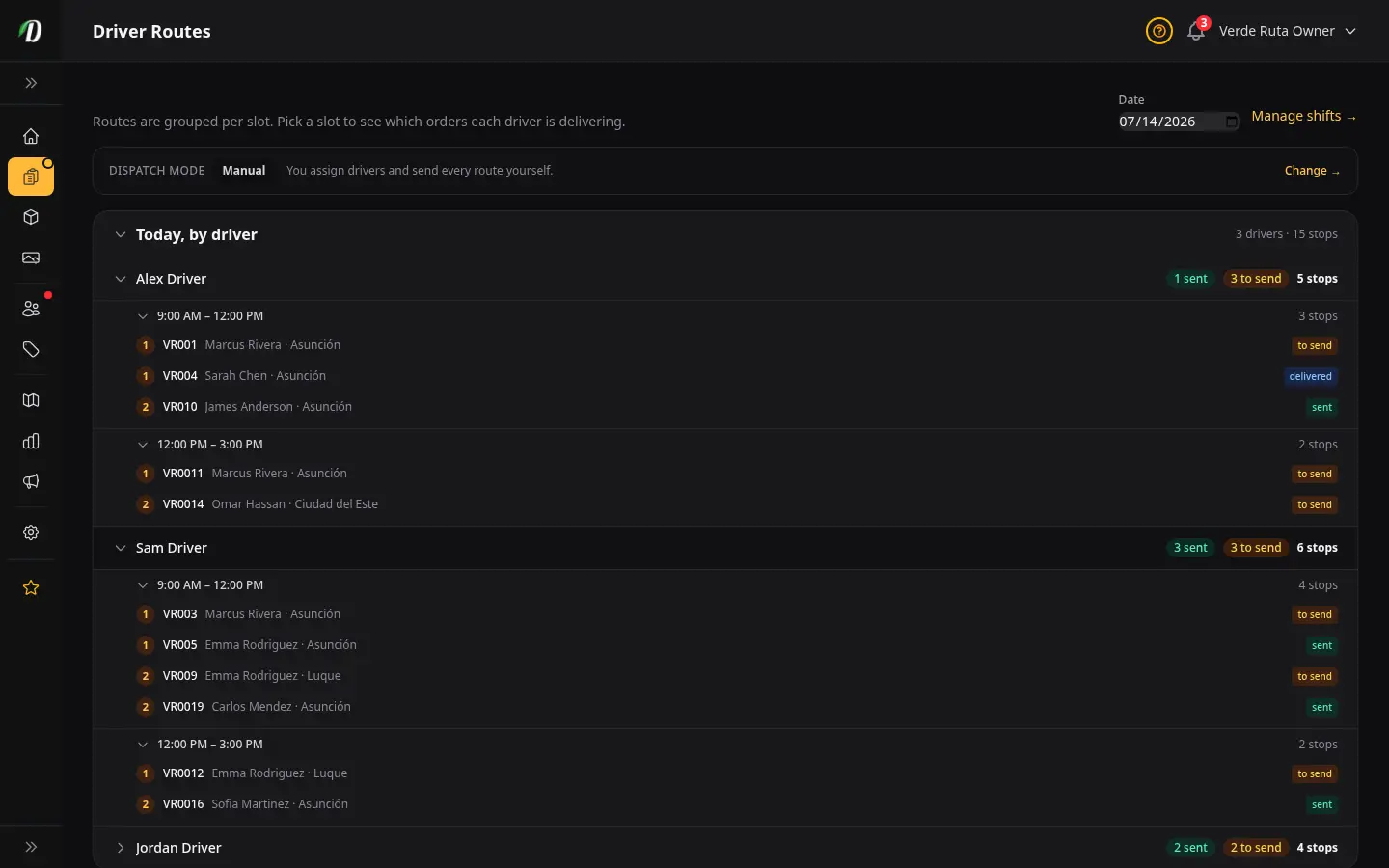
Three modes. Manual: you assign and send every window. Hybrid: DabDash drafts the stops and you confirm. Automatic: after cutoff, DabDash drafts the stops and sends them once the hold you set has passed. That hold starts at 10 minutes.
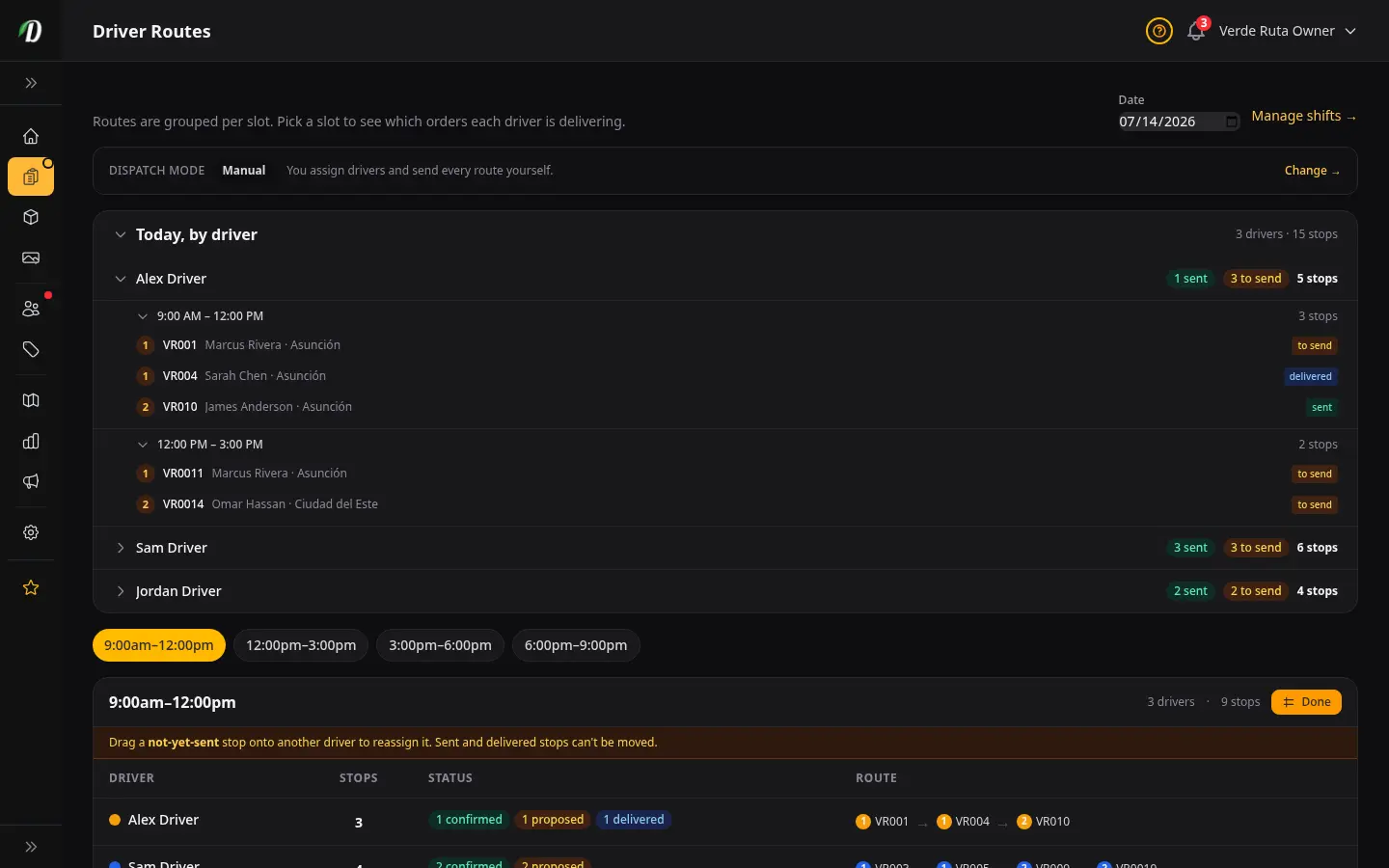
Nothing reaches a driver until the window is sent. Before that, you can move a proposed stop. On a computer, Rebalance lets you drag a stop that has not gone out yet onto another driver.
Cancellations and shift swaps sit on the same screen, so you settle who is working before you send the run.
Open the product tour and walk a routed night, or read the setup guides.
Drivers open the driver app and see the shift, the stops in order, and the customer notes.
At the door they can check an ID, mark the order delivered or failed, take a photo or a signature when you require it, and record cash. Their position can show on the customer’s tracking link while the order is out.
Navigate opens Google Maps for the turn-by-turn drive. When the order goes out, the customer can get an on-the-way text with that tracking link.
Multi-location is the same idea as multi-store: every shop you run has its own window, its own routes, and its own driver app. You open any of those shops from the multi-site dashboard.
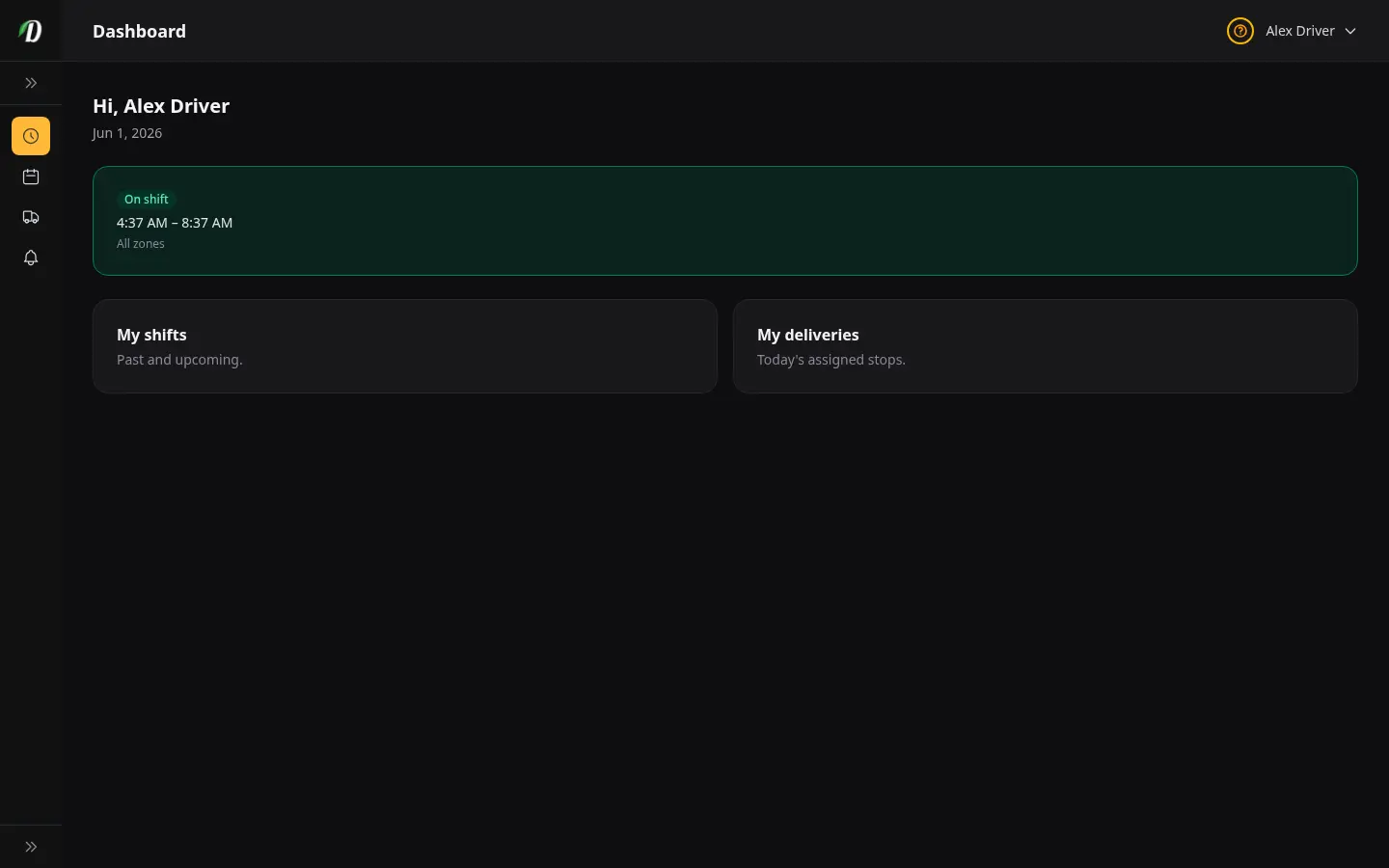
Drivers use the driver app for the shift, the stops, an ID check, proof of delivery, and cash. When the order goes out for delivery, the customer can get an on-the-way text with the tracking link. A second location is another store on the multi-site dashboard, with its own routes.
Windows, the map, start points, and moving a stop before it is sent.
Confirm a window, reassign a proposed stop, and choose manual, hybrid, or automatic.
What drivers see in the driver app: shifts, stops, ID, and proof of delivery.
Put people on the clock before the window opens.

Zones, the storefront, and the delivery system this routing desk sits inside.

One screen for every shop you run. Each shop keeps its own routes and stock.

Cash on delivery and your own processor, wired in by webhook.
What to look for in cannabis software, feature by feature.
It is the desk that turns a delivery window into a stop list for each driver. You see the order on a map, starting from the shop, a saved address, or the centre of a zone, and you send the run when it is ready.
Stops stay proposed until you confirm the window, or until automatic dispatch sends them after cutoff and the hold you set. Drivers then see the confirmed list in the driver app, in drive order.
Yes, before it is sent. On a computer, Rebalance lets you drag a proposed stop onto another driver. After the stop is sent, it stays with that driver.
Yes. Navigate in the driver app opens Google Maps for the turn-by-turn drive.
Yes. The driver app shows the shift and the stops in order. Drivers can check an ID, mark delivered or failed, take a photo or a signature when you require it, and record cash.
DabDash Routing orders the stops for the drivers on the window, up to 20 drivers and 200 stops, inside the shop’s state or province. A Google key can order one driver’s stops instead. Without either, you set the order yourself on the map.
Yes. When the order goes out for delivery, the customer can get an on-the-way text with the tracking link.
Yes. Multi-location is multi-store: each shop has its own delivery window and its own driver app. You open any of those shops from the multi-site dashboard.
They sit on the same Driver Routes screen as the map. The old Dispatch address opens that screen.
Start your 14-day free trial and open a delivery storefront with routing already on the desk.
Start free trial